A sprite editor for retro console games
Draw the parts once.
Build every pose
from them.
Cut your sprite sheet into body parts, assemble poses, animate them step by step and stage whole scenes.
Classic console games saved memory by building characters from small shared pieces. Modular Sprite Editor lets you work the same way, and shows how your sprites fit the Mega Drive while you draw.
Free and open source, for Windows, macOS and Linux.

From a sheet of parts to a scene
Four steps, one project.
Each step builds on the one before. Change a part and every pose, animation and scene that uses it changes with it.
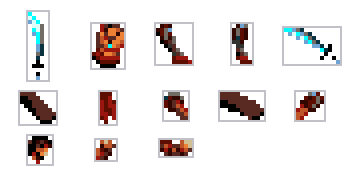
Cut the sheet into modules
Drag a box around each part, or let the editor find the sprites on the sheet.
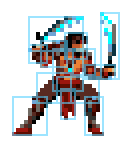
Build poses from parts
Place, flip and turn parts to make a frame. Reuse the same pieces in every pose.
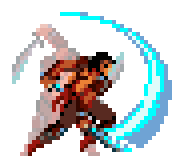
Animate step by step
Set how long each pose holds, watch it play like the game will, compare with onion skin.
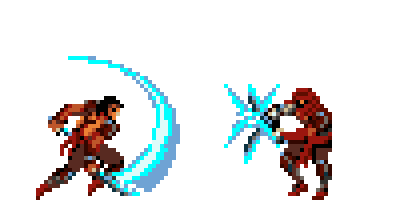
Stage a scene
Put characters on a timeline, move them with keys and switch their animations on cue.
Variants without redrawing
One set of animations.
As many characters as you like.
A mapping swaps some parts for others in every frame at once. Recolour a costume, change the armour, hide a weapon, or turn the hero into an enemy.
In the example project, the hooded guard is the Prince with 28 head and body parts swapped. He uses all of the Prince's animations without a single extra frame.
Make a variant with a mapping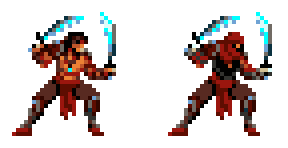
Know what the console can show
See the limits
before your programmer does.
The Mega Drive draws characters from hardware sprites, with a limit per screen and per line. Turn on the budget overlay and the editor outlines every hardware sprite a pose needs and marks the lines where sprites would vanish.
Read the budget overlay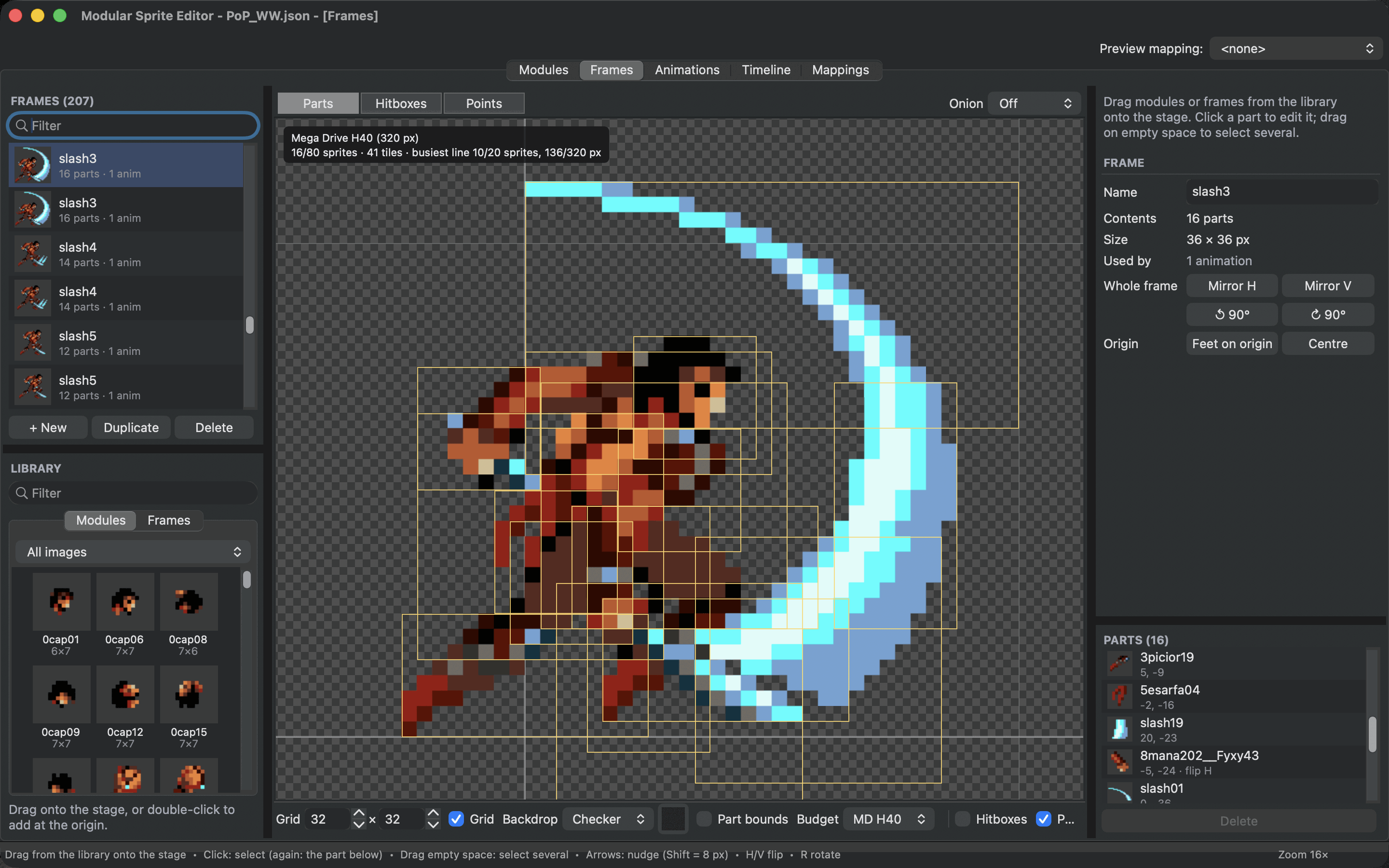
Already have whole sprites?
Let the editor find
the shared parts.
Auto Modularize cuts a sheet of finished sprites into the pieces they have in common, including mirrored ones, and rebuilds every frame from them, pixel for pixel. A slider trades less memory against fewer hardware sprites.
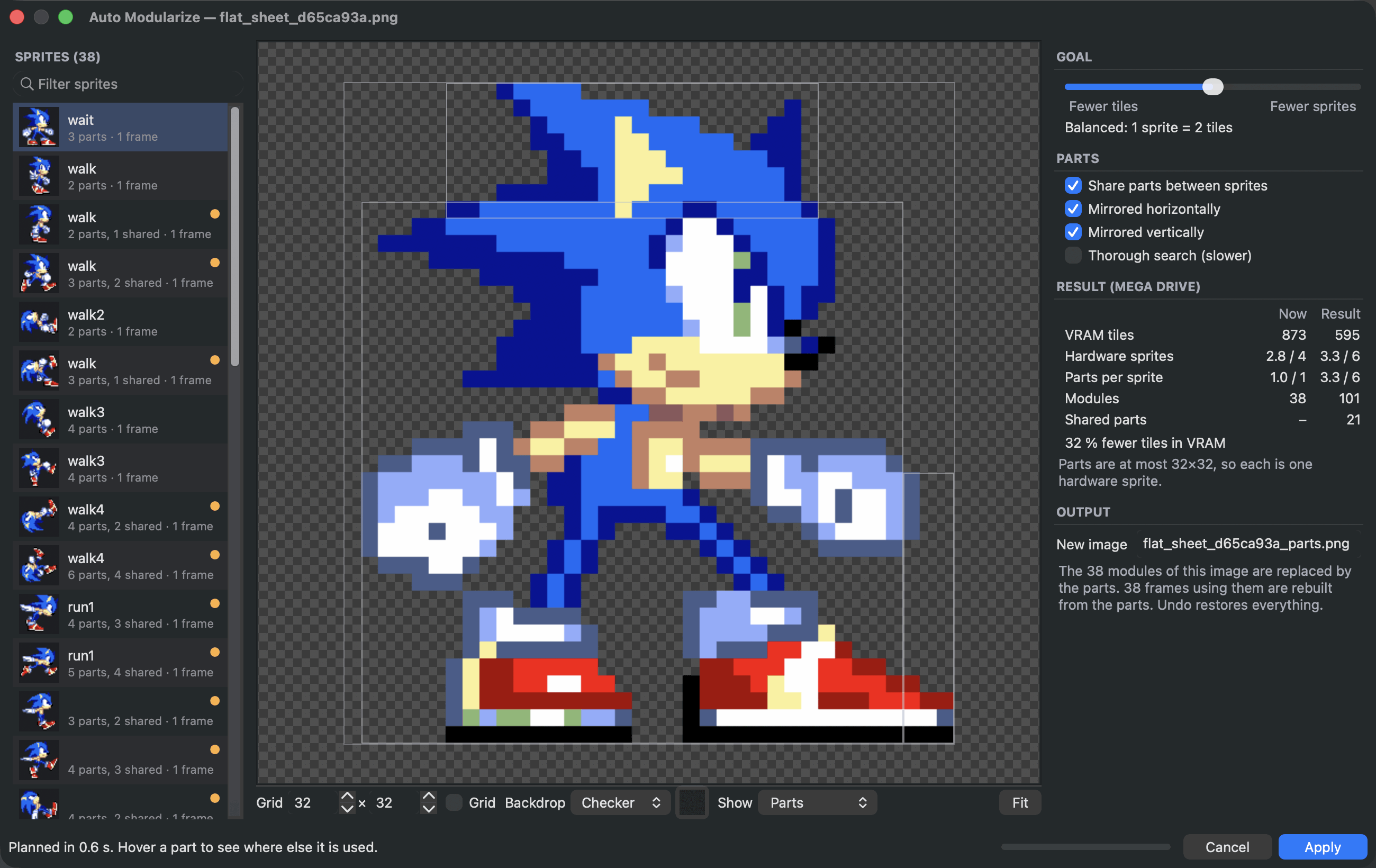
A workspace made for sprites
Everything about a character
in one window.
Five tabs share one project: Modules, Frames, Animations, Timeline and Mappings. Drag parts from a library onto the stage, nudge them pixel by pixel, and undo anything in any tab.
Take the tour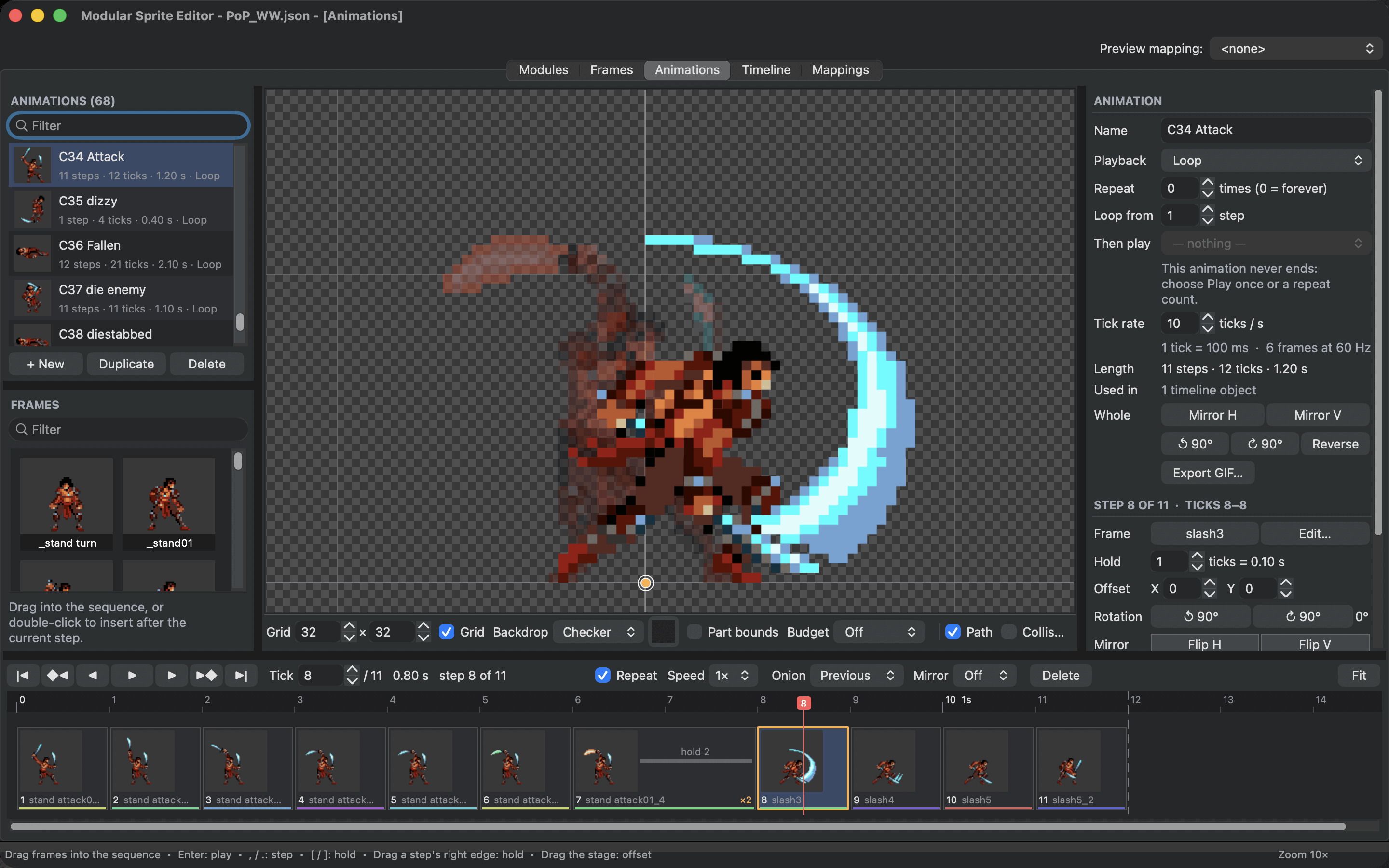
Learn from a finished project
Three example projects to take apart.
Open one, play its animations, then change a part and watch everything update.
Open a sheet
Start with a sprite you already have.
The first lesson takes you from a sprite sheet to an animation that plays, one step at a time.
Make your first animated spriteFree and open source. Get the editor for Windows, macOS or Linux